Putting It All Together
Now that you’ve got a handle on what a component is and how to implement it into Edlio, let’s put it to practice on your own Personal Page.
🎯 Your Goal
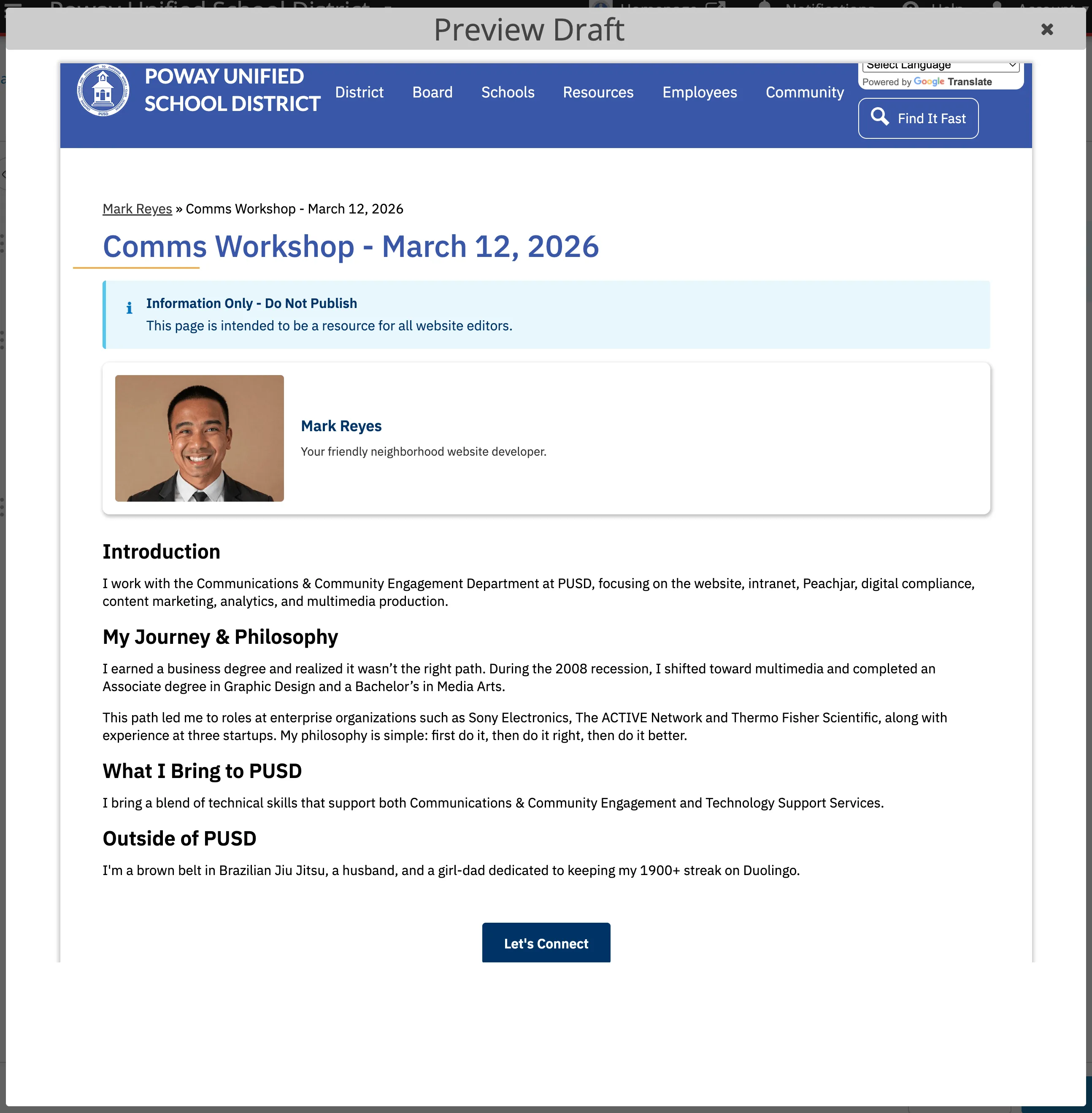
Section titled “🎯 Your Goal”Create a personal page (Save Draft Only) that’s similar to the one below using Pattern Library and the AI Agent, PUSD Website Copywriter.
✅ What’s Required
Section titled “✅ What’s Required”- Create a Full Width Layout in Personal Pages .
- Add an Info Alert as the first Content Page Block.
- Add a Horizontal Card as the second Content Page Block.
- Add structured, semantic and accessible HTML as the third Content Page Block.
- Add a Primary Button as the fourth Content Page Block.
🏆 Bonus Points
Section titled “🏆 Bonus Points”- Take the output of PUSD Website Copywriter and update your page’s Page meta description and Keywords for improved SEO.
📚 Helpful Hints
Section titled “📚 Helpful Hints”- Alert Component documentation and tutorial.
- Card Component documentation and tutorial.
- Website Copywriter documentation and tutorial.
- Button Component documentation and tutorial.
🙊 Oops, I Published!
Section titled “🙊 Oops, I Published!”No worries! In the event you’ve published content by mistake, see Edlio’s 2-Step Process on how to revert that.
🏆 Certificate of Completion
Section titled “🏆 Certificate of Completion”Attach a screenshot of your page (similar to the example above) and another screenshot if you did the Bonus Points task as well. Once your work has been reviewed and verified, you’ll receive a Certificate of Completion!
Submit My Page